
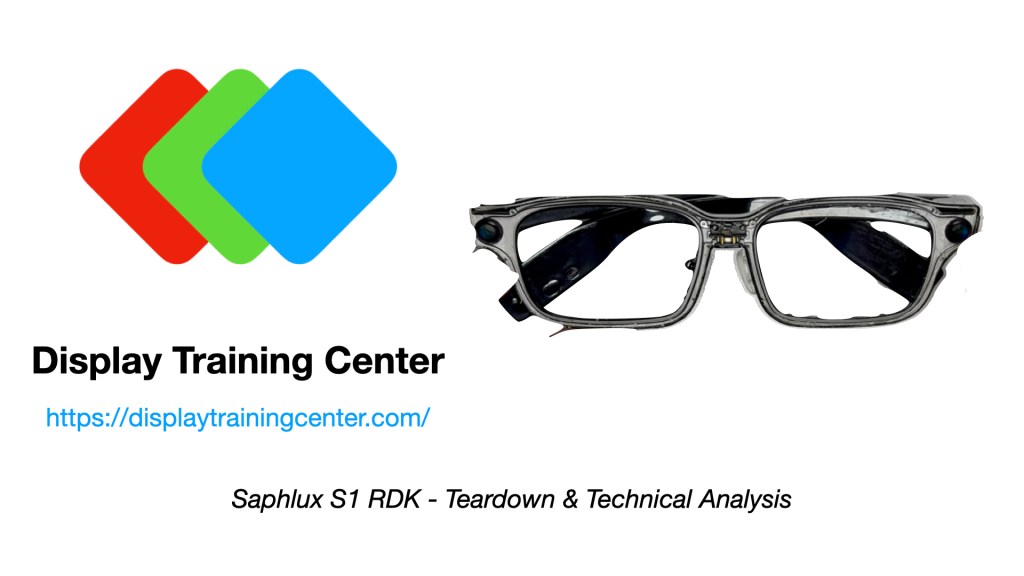
I’ve had the Saphlux S1 RDK sitting on my desk for a little while now, and it was finally time to tear it apart and take a closer look at what is inside. Unlike most of the AI-focused smart glasses we have reviewed recently, this is a reference design kit rather than a finished consumer product — which means some expected rough edges for software & hardware choices that are not the display. We’re starting to see this more and more with display companies pushing into some part of the consumer smartglass segment (MICROOLED with Engo, but a lot of uLED companies are following similar paths)
The S1 RDK is built around a monochrome green microLED display, a diffractive waveguide, integrated audio, and a fairly conventional glasses-shaped mechanical package that is very reminiscent of the Alibaba Quark S1 Glasses. There’s plenty of additional data shared in the video, so here we will focus on a few of the measurements that stood out during testing.
Disclosure: I am a technical advisor for Saphlux, but the opinions expressed and data collected in this video are entirely my own.
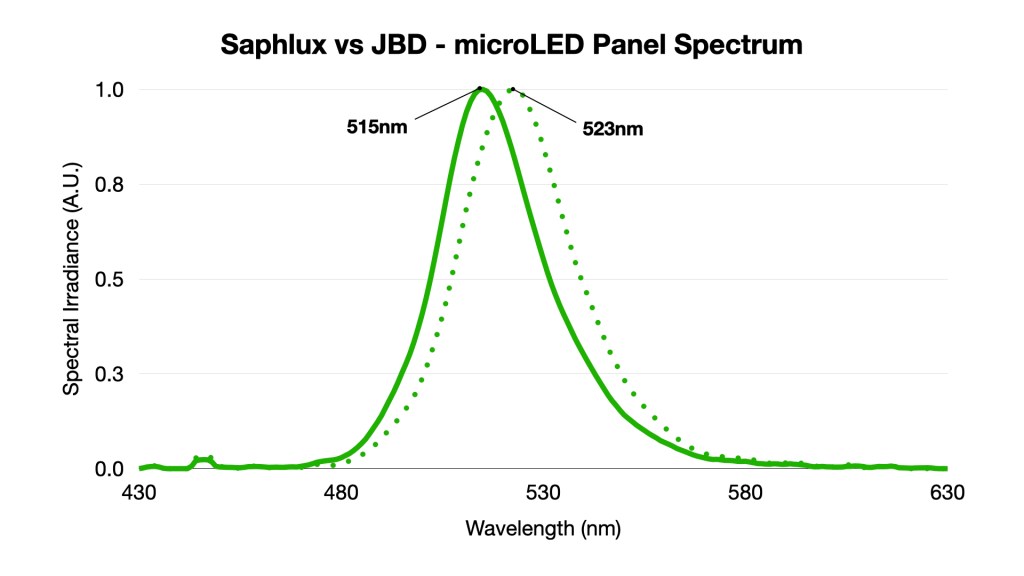
The microLED spectrum is the first interesting result. The Saphlux panel has a green emission peak centered at approximately 515 nm, compared with approximately 523 nm for the Jade Bird Display panel measured in most other smartglasses using mono green panels. Both are narrow-band inorganic LED emitters, but the wavelength difference is large enough that the Saphlux panel appears noticeably closer to a saturated emerald green.
This does not automatically make one panel “better” than the other — display color is ultimately a product-design choice — but it is a good reminder that monochrome green microLED panels are not all interchangeable. The exact wavelength affects perceived color, luminous efficiency, optical-system performance, and potentially the readability of the final UI.
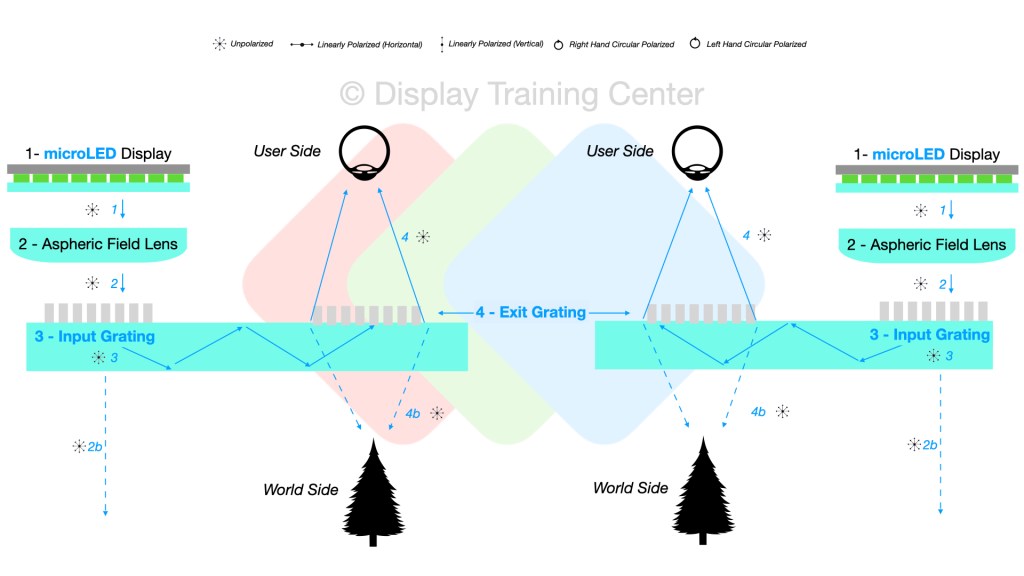
The optical path is a fairly standard diffractive-waveguide structure. Starting with the microLED panel (1), the emitted light passes through an aspheric field lens (2) and enters the waveguide through the input grating (3). The image propagates through the waveguide using total internal reflection before reaching the exit grating (4), which expands the eyebox and redirects the image toward the user.
As always with waveguides, not all of the injected light makes it to the eye. Most of the light continues toward the world side or is lost outside the intended eyebox. That said, starting with a very bright microLED source gives the system plenty of optical headroom for a sparse teleprompter-style UI.
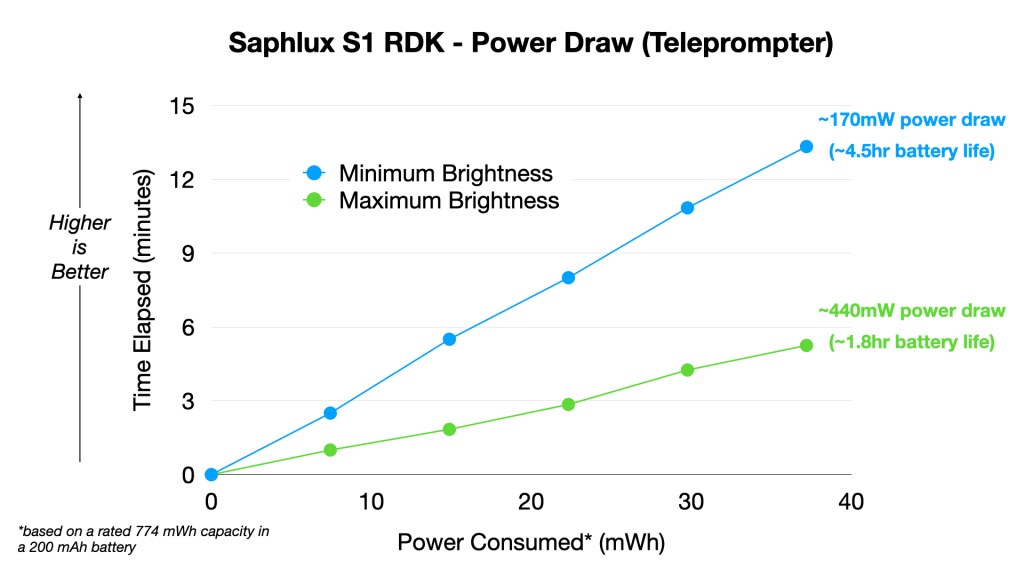
Power consumption is where the complete system becomes more interesting. Using the teleprompter function, I measured approximately 170 mW at the minimum brightness setting and approximately 440 mW at maximum brightness. Using the rated 774 mWh capacity of the internal 200 mAh battery, that works out to roughly 4.5 hours of operation at minimum brightness and approximately 1.8 hours at maximum brightness.
The real-world result will obviously depend on how frequently the display is active, wireless activity, audio usage, and the selected UI mode. Still, this gives us a reasonable estimate of the tradeoff between outdoor-readable brightness and practical battery life.
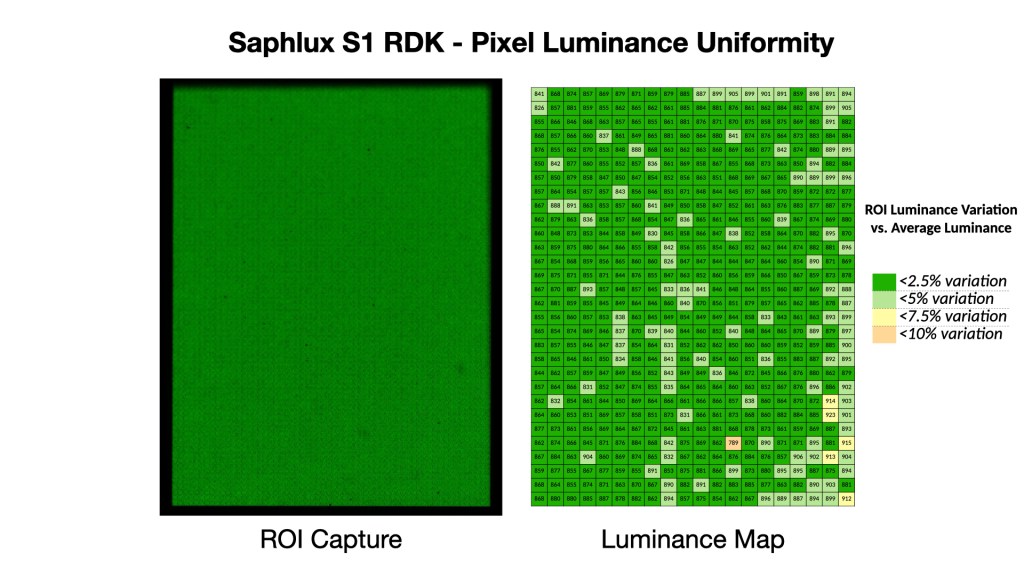
Another recurring theme with microLED displays is pixel-level luminance uniformity. We have seen visible pixel-to-pixel variation in several commercial products, particularly at low brightness settings. The Saphlux panel performs relatively well in the region of interest measured here: most of the sampled display area remains within a few percent of the average luminance, with a smaller number of pixels showing larger deviations.
This is not a perfectly uniform panel, but it is a much more controlled result than some of the more extreme microLED variation we have documented previously. For a sparse monochrome interface, the remaining variation is unlikely to be distracting during normal use.
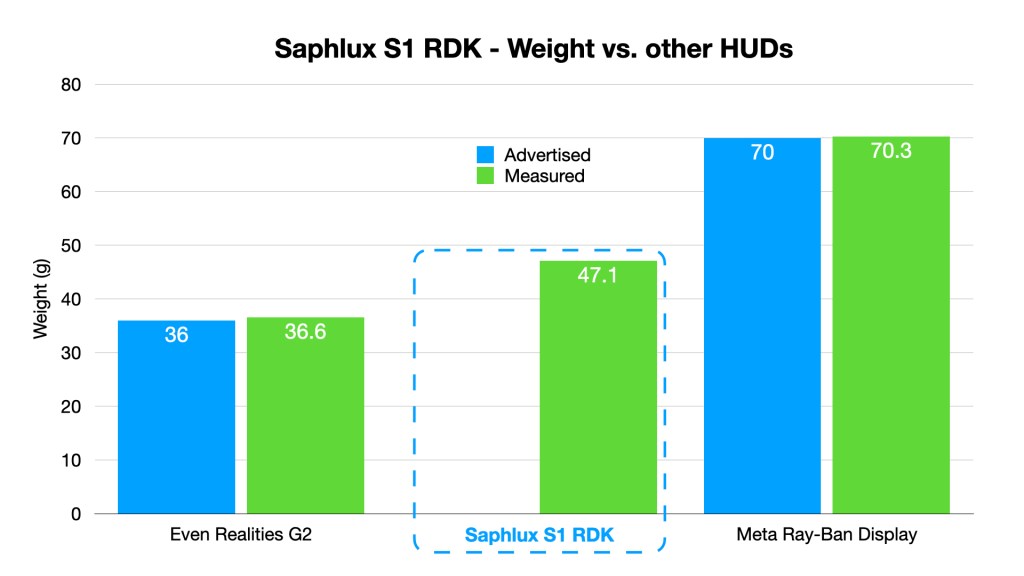
Optical performance is only one part of the experience with wearable displays, so I also took a look at the mechanical fit. At approximately 47.1 g, the S1 RDK sits between the lighter Even Realities G2 and the much heavier Meta Ray-Ban Display glasses. That is not ultralight by conventional eyewear standards, but it is reasonable for a display-enabled reference platform.
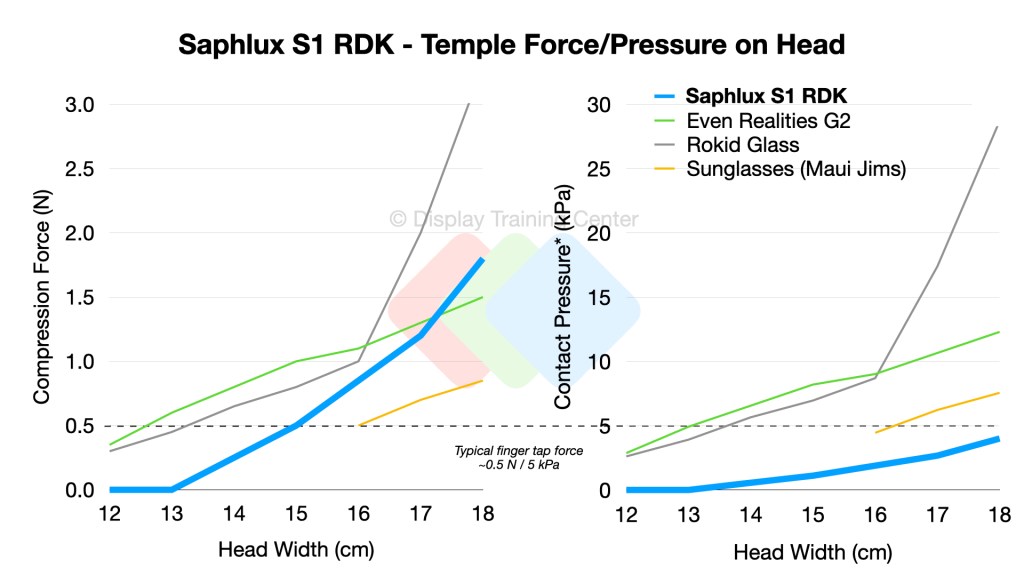
Temple pressure is arguably just as important as total weight. Across the tested head-width range, the Saphlux S1 RDK applies relatively low contact pressure compared with the other HUD glasses measured. Even at an 18 cm head width, the measured pressure remains below the approximate force associated with a typical finger tap.
This is a useful example of why weight alone does not tell you whether a pair of smart glasses will be comfortable. A heavier device with well-controlled temple pressure can feel much better than a lighter pair with stiff temples and a small contact area.
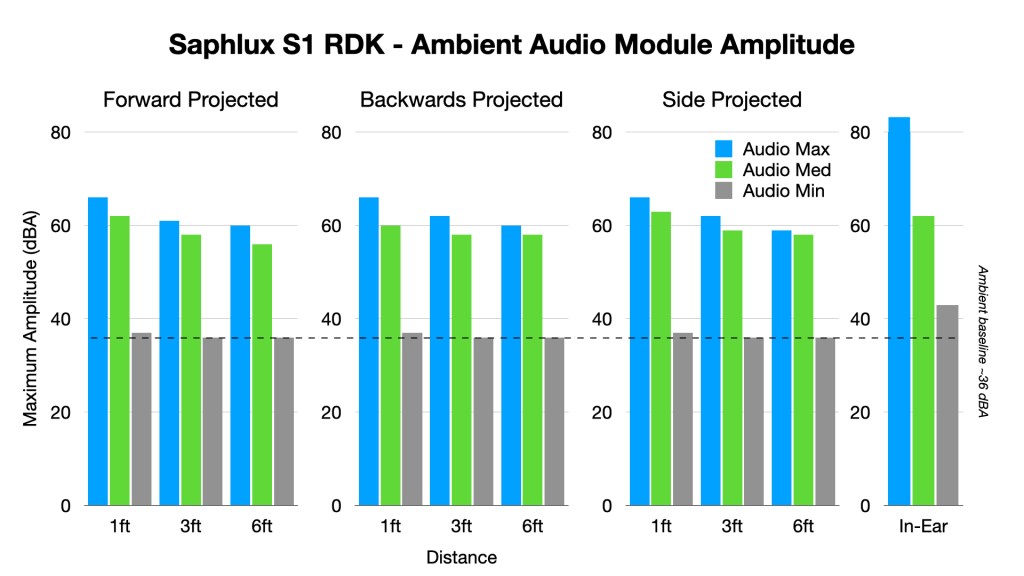
Finally, the integrated open-ear audio modules are loud enough to be usable without requiring in-ear speakers. At the highest volume setting, the measured sound amplitude remains well above the ambient baseline across the forward, backward, and side-projected test locations. The in-ear measurement is significantly higher than any other audio module we’ve measured before, reaching more than 82 dBA at the maximum volume setting – way too loud… I will say that at low settings, there is significant static noise in the output, so I wouldn’t recommend anything below the midpoint settings.
All-in-all, the Saphlux S1 RDK is a solid example of where monochrome microLED smart-glasses hardware currently sits. The display is bright, the waveguide architecture is familiar, the power draw is reasonable for intermittent teleprompter use, and the mechanical package avoids some of the comfort issues seen in heavier or more aggressively sprung glasses.
As always, all raw data collected and used here is available for all tiers of paid Patreon subscribers here: http://www.patreon.com/c/DisplayTrainingCenter

 Display Training Center
Leave a comment